

Are you backing up your iPhone? 📱 Why Seniors Should Back Up Their iPhones (and How to Do It)
- Nora Velasquez

- Jun 23, 2025
- 1 min read
If you’ve ever lost a phone—or even just worried about it—you know how stressful it can be. All your contacts, photos, messages, and apps are stored on that little device. If it is lost, damaged or stollen, there maybe no way to retreave them, unless...your iPhone is automatically saving all of that information for you in the form of a backup.
This backup, and it’s one of the most important things you can do to protect your phone’s data—especially now, when we rely on our phones to stay connected with family, doctors, and daily life.
💡 What is a Backup?
A backup is a copy of your phone’s information saved in a safe place—usually in the cloud (Apple’s secure storage space called iCloud). If your phone is ever lost, stolen, damaged, or replaced, you can restore everything from your backup.
📲 How to Check if Your iPhone is Backing Up
Here’s a simple way to make sure your iPhone is set to back up:
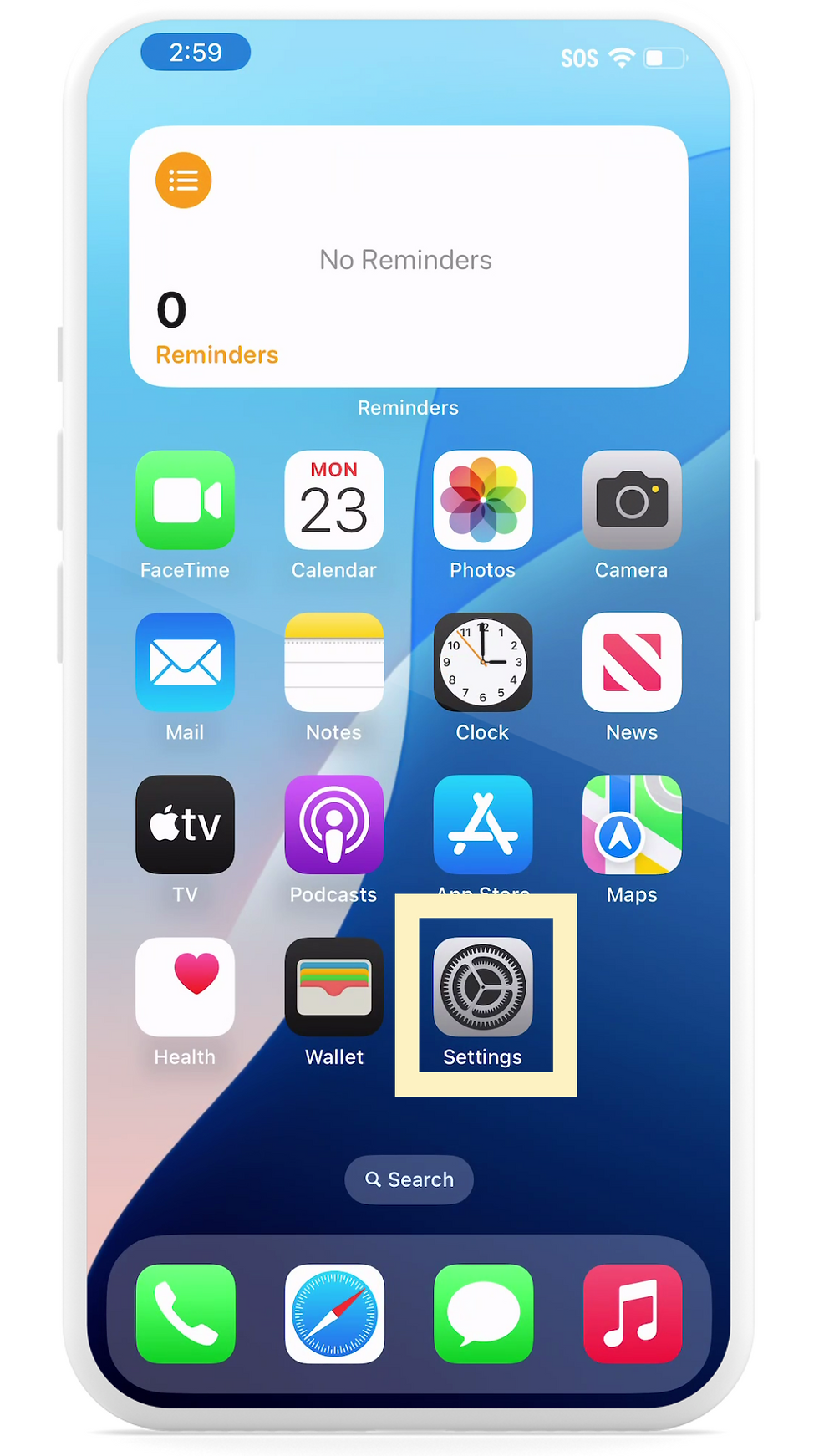
Open the Settings app
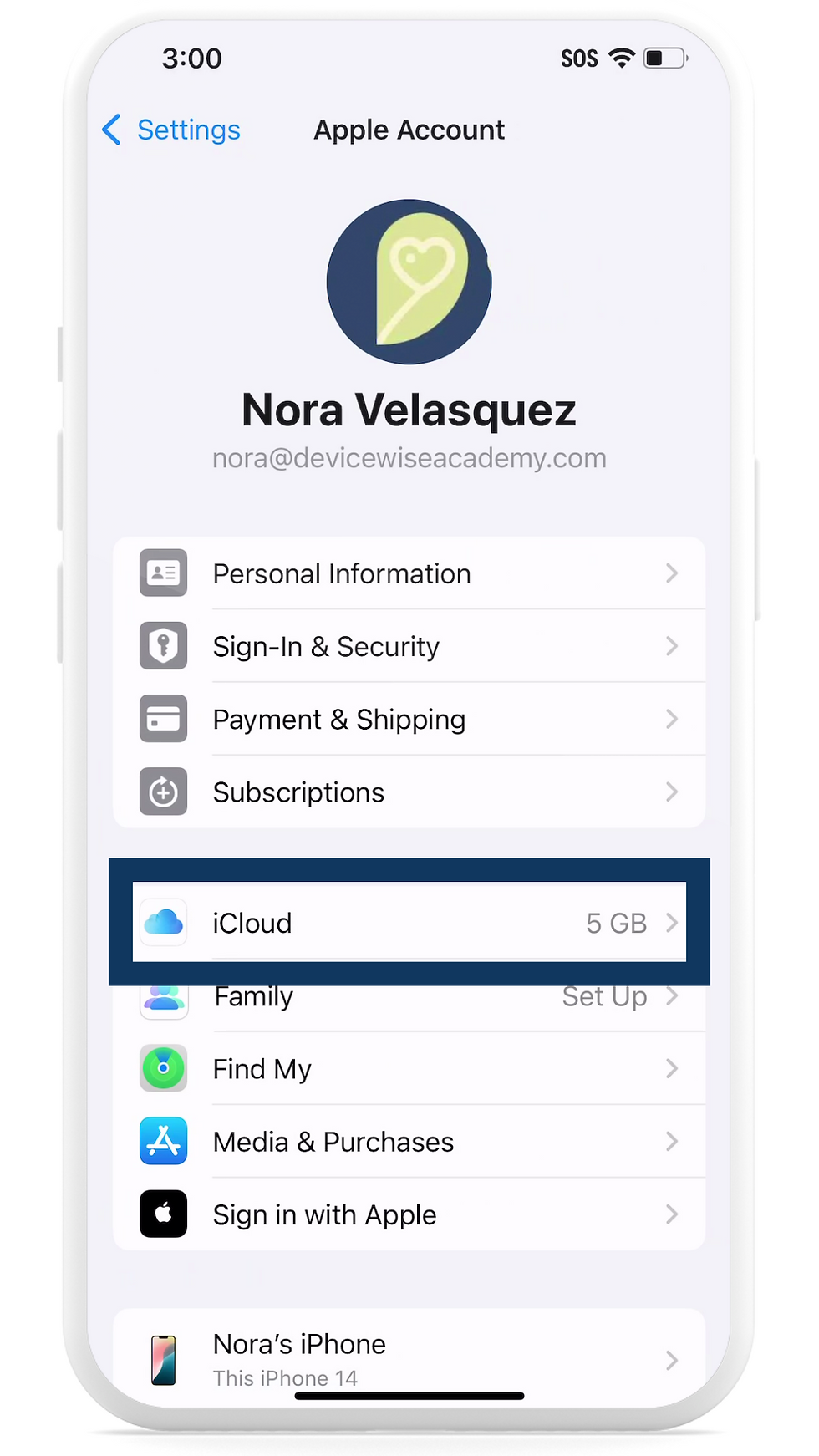
Tap your name at the top

Tap iCloud
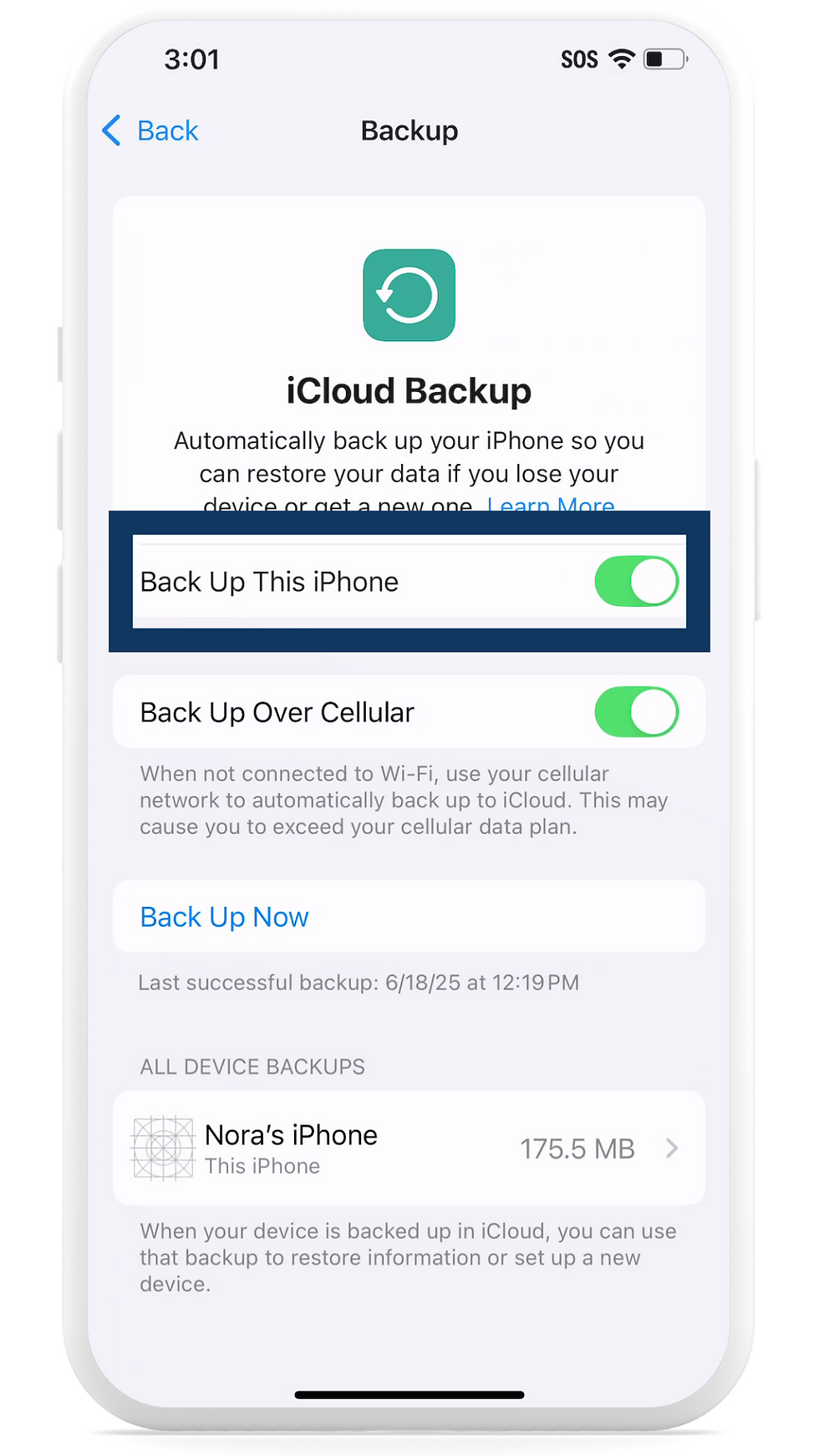
Tap iCloud Backup. If your phone has never been backed up, it will say so here.

Make sure the switch next to “Back Up This iPhone” is turned ON
You can also tap Back Up Now if you'd like to do it manually.
👩🏫 Ready to Learn More?
Whether you’re just getting started or want to feel more confident using your iPhone, DeviceWISE Academy offers friendly, step-by-step classes in Clovis/Fresno area designed with you in mind.

Comments